
Search
FAQs
-
-
Frequently Asked QuestionsQ: Calendar Viewing
A: We switched to an embedded “live” calendar this year so that any updates or new events appear automatically, which helps us avoid errors and delays that sometimes happen when staff need to retype and upload separate lists. With the exception of March 22, Year 1 and Year 2 classes meet on the same dates, and the class times stay consistent week to week. The calendar format does look best on a computer rather than a phone and there are a couple of ways that may make viewing a bit clearer. I’ve included the screenshots to show what they look like - on the "Month" view, you can see the detailed list on the right when you click the date on the calendar.
Detailed list on the right when you click the date on the calendar: 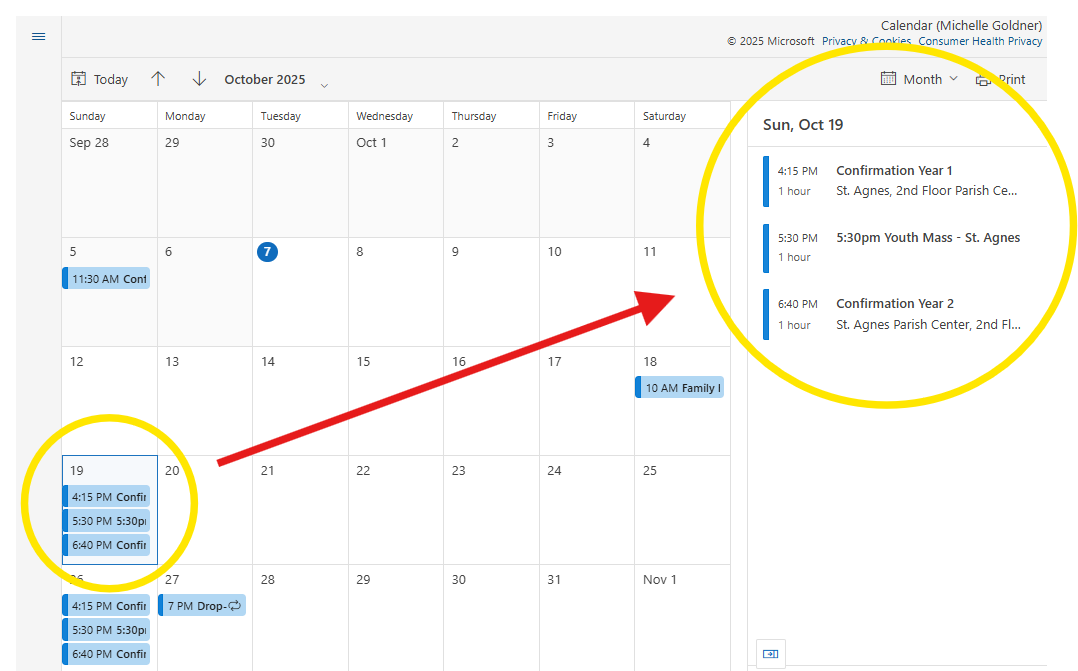
-